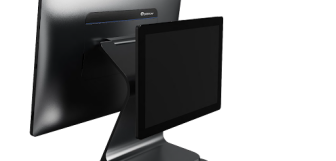
EPOS Till Buying Guide 2026: How to Choose the Right Point of Sale System for Your Business
Whatever the reason for your purchase, you need to know the right factors to consider, and how to learn all you need to choose the best for your business. That’s why today, we’re mulling over all the different facet of POS purchasing. We’ll cover:
-
What is an EPOS system?
-
How do EPOS systems work?
-
Components of an EPOS system
-
Key decisions when buying an EPOS system
-
Essential features to look for
-
Understanding EPOS costs
-
Choosing EPOS for your industry
-
Common mistakes when buying EPOS
-
How to evaluate EPOS providers
-
Implementation and setup
Read through these tips, and you’ll know how to steer your business to the right POS system that will provide a stable foundation for your operation. Let’s get into it!
What is an EPOS system?
Important to understand before we go any further, POS or EPOS stands for (electronic) point of sale, and refers to anywhere in your business where sales are made. This could be online, through an app, at restaurant tables, retail checkouts, self-checkouts and more. EPOS systems are the technologies (including both hardware and software, computers and their accessories) that process the sales, take payments, and help manage the day-to-day operations of your business.
Once upon a time, POS systems were just calculators that tallied up each item purchased and printed out a receipt. But every year, POS systems are developing, and the providers now battle each other to develop more sophisticated devices that can take businesses further into the future, and help them outcompete.
Today, they function as complete business management hubs. Beyond taking payments, they can handle stock control, staff management, customer loyalty, accounting integrations, detailed sales insights, and much more.
How EPOS systems work
People are used to seeing computers do incredible things these days, but what the unique combinations of hardware and software in EPOS systems can do is truly incredible. From processing sales to making business accounting easy, EPOS systems bring everything together. Let’s start by looking at what happens when a POS and connected devices process a sale:
-
Product scanned or selected. Items are scanned with a barcode reader or chosen on the touchscreen, pulling product details directly from your inventory database.
-
Price calculated. The system automatically totals the order, applying taxes, discounts, promotions, and any loyalty rewards to find the correct total.
-
Payment processed. The sales clerk confirms if the customer pays by cash, card, or contactless, and the EPOS communicates with the card payment terminal (if relevant) to authorise the transaction and request the transfer of digital funds.
-
Receipt generated. A digital or printed receipt is created instantly for the customer (or requested by a sales clerk, depending on the settings of the system).
-
Data is synced to the back office. Sales figures, stock levels, and dozens of business reports update automatically across your system, and are uploaded to the cloud to be accessed from any secure device.
To make all this possible, several moving parts work together:
-
Connected hardware. Terminals, barcode scanners, card readers, printers, and cash drawers all link to the EPOS software.
-
Real-time synchronisation. Data updates immediately across devices, so reports and stock levels are always accurate.
-
Business integrations. Information flows into accounting, ecommerce, and management tools, reducing manual admin, and letting each business trade the way it wants.
Components of an EPOS system
An EPOS system is made up of two core elements: hardware (the physical equipment you use at the counter or shop floor) and software (the digital tools running behind the scenes). Together, they handle everything from payments to scanning and printing to syncing up with your business apps. Understanding what each component does will help you choose the setup that fits your workflow and your space, making sure you get everything you need:
Hardware
-
Touchscreen terminal. The main interface where staff ring up sales, manage orders, and access reports. Options range from fixed countertop units to portable tablets for flexible, mobile services.
-
Barcode scanner. Handheld or fixed devices that scan barcodes to quickly find products and populate baskets, relied on heavily retail, occasionally seen in parts of the hospitality industry.
-
Cash drawer. Secure storage for notes, coins, and daily documents, usually connected to the till so it opens automatically during cash transactions.
-
Receipt printer. Key for customer receipts and order communication, thermal printers are fast and quiet for most retail and hospitality settings, while impact printers suit kitchens or environments needing duplicate copies.
-
Card payment terminal. Integrated models connect directly with the EPOS for faster checkouts, while standalone devices operate separately. One way or another, these devices are crucial for card payments (which currently dominate the payments industry).
-
Kitchen display screen. Popular in the hospitality industry, kitchen display screens substitute for order printing, providing in instant link between FOH and BOH teams, and usually offer features like order timings, allergy aids, and course firing.
-
Customer display. Shows items and totals to customers in real time, adding transparency and professionalism, and can create a more interactive checkout for more engaged guests.
Software
-
Sales processing. Helps process and record transactions, applies taxes and discounts, and manages payment types. The most essential part of POS!
-
Inventory management. Tracks stock levels automatically to help with providing a reliable service, this updates after every sale, and to prevent over- or under-ordering.
-
Reporting & analytics. Provides insights into sales, trends, and performance so you can make smarter decisions for your business.
-
CRM & customer data. Stores purchase history and contact details to personalise service, manage accounts, offer credit to returning customers if desired, and run loyalty schemes and targeted marketing.
-
Staff management. Handles logins, payroll, security and permissions, as well performance tracking for better accountability.
-
Multi-location support. Consolidates data across sites, localises products, inventory, and staff, all ideal for growing or franchised businesses.
-
Cloud access/back office. Lets you view reports and manage operations remotely from any device, even if you’re on holiday.
Key Decisions When Buying EPOS
Choosing an EPOS system isn’t just about features. There are lots of options out there with all kinds of features. No, instead it should be about making a handful of strategic decisions that will affect reliability, flexibility, and long-term costs. Get these right and your system will quietly support your business without weighing you down. Get them wrong and you’ll feel the pain every day. Start by weighing up the following core choices:
Cloud vs local storage
One of the first decisions you’ll face is where your data lives. Cloud-based EPOS systems store information online, giving you remote access from anywhere, providing automatic backups when hardware issues occur, maintain GDPR-secure storage, and help provide easier integrations with accounting, ecommerce, and other tools like loyalty programs. The trade-off? They rely on a stable internet connection to function fully, and can make trading harder if your connection is slow or goes down.
Locally stored systems don’t have that problem. Your data is installed directly on your hardware, and the system continues working even if your internet drops. However, they carry a higher risk of data loss if hardware fails and often have fewer modern integration options.
For many businesses, the sweet spot is a hybrid approach: the major advantages of cloud systems with offline modes that keep you trading while you restore or strengthen internet connections. This offers resilience without sacrificing flexibility.
Key questions: What happens if the internet goes down? Will you still be able to take payments?
Mobile/tablet vs static terminal
The hardware you choose shapes how your team works. For example, deciding whether to buy hardware that offers portability determines whether you require a fixed checkout or if your team can bring the checkout to the customer.
Tablet-based or mobile POS (MPOS) setups are often budget-friendly, can look quite sleek, and can be carried around by staff. They’re ideal for providing table service, for roaming retail staff, pop-up stalls, or businesses short on counter space. However, they’re usually consumer-grade devices, meaning they’re easier to break or be lost during heavy daily use. They’re also easier to steal.
Static terminals, on the other hand, are purpose-built for fixed retail and hospitality checkouts. They’re more durable, water-resistant, fast, and designed to withstand long shifts and constant tapping. The downside is a higher upfront cost and cannot be carried.
If you run a low-traffic shop or mobile operation, tablets can be a smart, affordable choice. For busy environments with queues and peak times, a robust terminal is usually worth the investment.
Key questions: Will your hardware stand up to the pace and environment of your business day after day? Do you need a portable checkout?
Own provider vs reseller
Most suppliers develop and sell their own all-in-one EPOS systems, like Epos Now, Epos Direct, Toast etc. They control both the hardware and the software, often leading to tighter integration and simpler support, but it may also come with trade-offs: younger software (with possible glitches), fewer features, and potential contract lock-ins. In some cases, providers can even remotely disable systems if payments are missed.
Working with a reseller often gives you access to established platforms, only you own your licence and benefit from proven, mature software. The downside is dealing with multiple vendors for hardware, software, and payments, and you won’t necessarily access the latest tools your competitors are using.
Key questions: Can your POS provider remotely shut off your till? Are you looking for the very latest technology?
Support and service model
Even the best EPOS systems occasionally fail, so support matters, even if it’s not the first thing you want to think about. Different POS providers offer support in different ways. Telephone-only or LiveChat support is usually cheaper, but if hardware breaks you may have to ship it away and wait weeks for repairs, which could seriously disrupt trading.
Providers offering face-to-face and on-site service cost more but often include next-day engineer visits or hardware swaps, keeping downtime to a minimum. For busy businesses, that reliability can easily justify the price.
Training is just as important. Look for initial onboarding plus ongoing support for new staff, support guides and videos, so your system doesn’t become under-utilised or misused over time. A strong support model protects your investment long after installation.
Key question: How can you fix an issue when it comes up? How many avenues of support do you have?
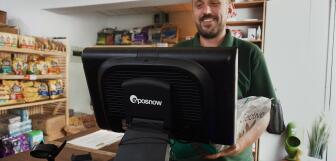
Essential Features to Look For
Must-have features
-
Inventory management. Tracks stock levels in real time, sends low-stock alerts, and can automate reordering so you never oversell or run out unexpectedly.
-
Reporting & analytics. Breaks down sales by time, item, and staff member, helping you spot trends, monitor margins, and make smarter business decisions.
-
Multiple payment methods. Supports cash, chip and PIN, contactless, and mobile wallets to match how customers prefer to pay.
-
Offline mode. Continues processing sales even if your internet drops, syncing everything once you’re back online.
-
Staff management. Offers secure staff login, staff permissions, tracks hours, and monitors performance to improve accountability and security.
-
Cloud access. Lets you view reports, update products, and manage settings remotely from any device.
-
Receipt options. Offers printed and digital receipts via email or SMS, giving you and your customers flexibility while reducing paper costs.
Industry-specific features
-
Hospitality. Table management, split bills, kitchen printing and/or KDS, modifiers, and tab handling to keep service fast and accurate during busy periods.
-
Retail. Barcode scanning, multi-location inventory, ecommerce synchronisation, and loyalty schemes to streamline stock control and encourage repeat purchases.
-
All businesses. Customer databases, CRM tools, and accounting integrations to centralise data and cut down on manual admin.
Understanding EPOS costs
Buying an EPOS system isn’t usually a one-off purchase. It’s a combination of an initial investment, ongoing subscriptions, and optional add-ons. Knowing all the costs before investing will prevent nasty surprises and help you budget accurately.
Initial costs
-
Hardware. Terminals, scanners, printers, and cash drawers typically cost between £300–£1,000+, depending on quality and portability.
-
Software licence. Some providers charge a one-time fee for software access, others bill monthly from the start.
-
Installation & setup. Getting your system up and running may involve professional support, training fees, and network setup.
Ongoing monthly costs
-
Software subscription. Usually £30–£100+ per month, depending on the features you need.
-
Support & maintenance. Standard or premium plans cost £30–£85+ per month, covering troubleshooting, updates, and sometimes on-site assistance. Sometimes, software and support come as a single expense, so it’s important to know what you’re paying for when you make the deal.
Add-on features
-
Loyalty programs. £20–25/month
-
Accounting integrations. £10–25/month
-
Multi-site management. £25/month
-
E-commerce, online ordering or delivery integration. £35–50/month
Hidden costs to watch for
-
Annual software licence renewal fees (£200+)
-
Payment processing fees (a small percentage of all card transactions)
-
Hardware warranty extensions
-
Additional user or terminal fees
Example 3-year total cost
-
Initial: £X
-
Monthly (×36): £Y
-
Hidden fees: £Z
-
Total: £X + Y + Z
Choosing EPOS for your industry
For Restaurants & Hospitality:
Hospitality businesses have certain features that are non-negotiable, like the ability to open and manipulate tabs and tables, and modify orders to customer specifications (such as desert with cream, custard, or plain). Other features, such as MPOS, can be key for some business plans, and not having them can really limit the flexibility of a business.
In the current climate, not being able to run delivery through your POS can put you at a disadvantage. So these are all things to look into during purchase:
-
Must-haves: Table/tab management, split billing, kitchen integration, modifiers
-
Important: Offline mode (critical during service), mobile ordering, loyalty schemes
-
Consider: Integration with delivery platforms, online reservations
For Retail Businesses:
Few POS systems won’t offer the inventory management features so crucial to retail businesses, but it’s key to ensure they’re included in the offer you’re looking at. Ecommerce is also a must-have for retailers wishing to stay competitive. Customer accounts and loyalty schemes can be handy, while features like gift-cards can come into their own at key points in the year such as December:
-
Must-haves: Inventory control, barcode scanning, e-commerce integration
-
Important: Multi-location support, customer database, loyalty schemes
-
Consider: Age verification, serial number tracking, gift cards
For Small Businesses:
A system that’s easy to pick-up, and that doesn’t weigh small businesses down with fees is worth it’s weight in gold. But support and scalability can make difficult trading times much easier, and are worth looking out for:
-
Must-haves: Simple interface, affordable pricing, cloud access, mobile payments
-
Important: Easy setup, good support, scalability
-
Consider: Tablet-based options for lower upfront cost
Common Mistakes When Buying EPOS
Even solid-looking EPOS systems can become expensive headaches if you rush the decision. There are many systems out there, with significant differences between them. Many businesses focus on price or appearance and overlook the practical realities of day-to-day use. But here are some of the most common mistakes and issues that businesses encounter when buying POS systems:
Using comparison websites
Comparison sites seem convenient: you pop in some details and the comparison site finds you your ideal POS, right? Only, most of these sites sell your details to multiple providers and get paid by the providers for getting them leads. That often means you’ll get five or six sales calls a day from companies competing for your custom. Instead of tailored advice, you get pressured, which can lead to a less than ideal purchase.
Choosing a tablet because it looks good
Tablets look cool, modern and are typically affordable, but looks shouldn’t be the main driver of your decision, especially as they come at a cost. Consumer-grade tablet devices can break easily, and aren’t built for heavy use. Repairs and replacements quickly add up. Choose tablets only when portability genuinely benefits your workflow, not just for the modern look.
Not testing offline mode
Internet outages happen more often than you think. If your EPOS can’t function offline, sales may stop completely. Depending on your setup, key accessories like kitchen printers may not function without a connection. Always test offline mode in a demo to ensure you can keep trading uninterrupted.
Not reading the terms and conditions
The small print can hide big surprises. From hidden fees and automatic price increases to clauses allowing providers to remotely disable your system if you miss payments, contracts can catch you out. Read every contract carefully so you know exactly what you’re committing to, both in terms of financial obligations, and the standard of service you’re entitled to.
Buying cheap hardware from unknown manufacturers
Bargain hardware alone to save money can be a nightmare scenario. Poorly built terminals with software compatibility issues cause downtime and require constant replacements. Some suppliers treat equipment as disposable rather than repairable, which makes investing in reliable, commercial-grade hardware a lot more affordable in the long-term, and ensures your business can maintain professional standards of service.
Not checking what’s standard vs add-on
A low monthly price may only cover the basics. Features like loyalty schemes, multi-site management, or integrations are often paid extras, often more than doubling your monthly fees. Ask for a full breakdown of what’s included and what will cost extra when comparing your offers so you know what you’ll need to pay for everything you need.
Skipping a face-to-face demo
Buying without seeing the system in action is risky. Screens might be clunky, workflows slow, or features missing. Once you’ve made your purchase, business-to-business trading laws make refunds a lot more complicated (and sometimes impossible). A demo lets you see what you’re buying, and spot performance and service issues before you’re committed.
Not calculating the three-year cost
Upfront pricing can look attractive, but monthly subscriptions, support, and add-ons quickly add up. Over three years, an initially cheap system may cost far more than expected. Always calculate the total cost of ownership to understand what you’ll really pay long term. Saving money upfront may be appealing, and necessary depending on your cash-flow situation, but you need to protect your business well into the future.
How to evaluate EPOS providers
Once you’ve shortlisted a few systems, the real decision may well come down to the POS provider behind the product. Two setups might look identical on paper, but the quality of support, hardware, and customer reviews can make the realities of the product very different. But it takes work to figure out which one will offer you more:
-
Provider type. Decide whether you’re working with an own-brand provider or a reseller, and consider the company’s age and track record, as more mature software is usually more stable and feature-rich, with any major bugs worked out.
-
Support options. Check reported response times, whether support is telephone-only, offers LiveChat, support guides and videos, or even includes on-site engineers. You also need to know what hours they cover, especially if you trade evenings or weekends.
-
Hardware quality. Ask which manufacturers they use and look for reputable commercial brands with good reputations along with solid warranties for peace of mind.
-
Customer reviews. Don’t just read the praise; focus on negative feedback to spot recurring problems with downtime, billing, or poor support.
-
Contract terms. Understand exactly what happens if you miss or stop payments, including whether the provider can lock or remotely disable your system.
-
Integration options. Make sure the EPOS connects smoothly with your accounting software, ecommerce platforms, and any other tools you rely on daily.
-
Demo & trial. Always see the system in action, test workflows yourself, and check offline mode so you know how it performs in real-world conditions.
Here’s a clean, practical closing section that keeps the same tone and structure as the rest of your guide:
Implementation and setup
Once you’ve chosen your EPOS system and provider, the final step is getting everything installed and running smoothly. You’ll need to ensure you have enough time to be ready for your opening (or have the new system ready to take over when you discontinue the old one). A well-planned setup makes the difference between a confident launch and a stressful first week, so it’s worth understanding exactly what’s involved and what support you’ll receive:
-
Timeline. Most EPOS setups take between one and four weeks to implement, depending on your business size, number of tills, and how much configuration is required.
-
What’s included. Setup typically covers hardware delivery, software installation, product programming, but you also need to conduct your own staff training so your system and your team is ready to trade from day one.
-
Face-to-face providers. Suppliers offering on-site service often include installation and setup within the price, with engineers handling configuration for you but you need to know if that’s what you’re getting before you make a purchase, as many of the larger POS providers don’t do this.
-
Remote or “POS-in-a-box” providers. The alternative to face-to-face are self-install systems, which may be cheaper upfront, but setup support or assistance can cost extra if you need help.
-
Training. Look for both initial training and resources to help with the ongoing onboarding for new staff to ensure everyone uses the system correctly and efficiently.
-
Testing phase. Before going live, test payments, printers, reports, and offline mode to catch issues early and avoid problems during service!
Epos Now: the natural choice of EPOS system!
Built to be easy-to-use, scalable, and adaptable, Epos Now POS systems are designed to meet the needs of retail and hospitality businesses like yours.
Our world-beating support is included with purchase, along with all the key functions every business needs, from sales software, detailed business reporting, inventory management, and staff and customer management.
Get your personalised deal by reaching out to Epos Now’s sales team today!
Frequently asked questions
- What is an EPOS till system?
-
A POS or EPOS (Electronic Point of Sale) till system combines hardware and software to process sales, take payments, and manage business operations digitally. Unlike older or more basic cash registers, they can also assist in many day-to-day business operations, including stock tracking, reports, payroll and staff management. Most POS systems also integrate with other business software like accounting programs, ecommerce and delivery programs, loyalty programs, and much more.
- How much does an EPOS system cost?
-
Costs vary depending on hardware, software, and support levels, but most businesses pay from £300 - £1,000+ upfront, plus £30 - £100+ per month for subscriptions. Add-ons and payment fees can increase this significantly, so always calculate how much everything you need will cost, not just upfront, but over multiple years.
- What’s the difference between cloud and local EPOS?
-
Cloud systems store data online, offering remote access (managers can check on trade from anywhere), automatic backups in the event of hardware failure, and easy integrations, but they depend on internet connectivity. Local systems run on-site and keep working offline, though they’re harder to back up and scale.
- Should I choose tablet-based or a traditional terminal?
-
Tablets are affordable, modern, and portable, making them great for mobile or low-traffic setups, though they are more vulnerable to both theft and damage. Traditional terminals are more durable and reliable for busy environments where equipment needs to withstand constant daily use. Tablets are a great option if portability will be important to your business.
- What happens if my internet goes down?
-
If your system has offline mode, you can continue taking orders and payments as normal, with data syncing again once you’re reconnected. Without it, parts of your system, or everything, could stop working, so this is essential to test before purchase.
- Do I need face-to-face support?
-
For smaller businesses, telephone or LiveChat support may be enough, but it can mean long waits if hardware fails as you’d need to send your system to the provider for maintenance. Face-to-face or on-site support costs more but can be invaluable in the event of major issues you can’t fix over the phone (and during setup).
- What features should I look for in retail vs hospitality?
-
Retail businesses benefit from barcode scanning, efficient inventory management and purchase ordering software, as well as ecommerce integrations. Hospitality needs tools like table management, split bills, kitchen printing, and tab handling to keep service fast and accurate. Most hospitality businesses will want delivery and online ordering, too (or PMS software for hotels!).
- Can EPOS integrate with my accounting software?
-
Most competitive EPOS systems integrate with platforms like Sage, Xero, or QuickBooks, automatically syncing sales and tax data. This reduces manual entry and saves hours of admin each week.
- What are common hidden costs?
-
Watch out for annual licence renewals, high payment processing fees (this is a big one!), hardware warranties, and extra charges for add-on features. These small monthly costs can add up significantly over time if you don’t factor them in.