What Is an Integrated POS and How Does It Work?
One of the consequences of having so many tasks to take care of is having dozens of systems and processes in place to help with them. When those systems run independently, it can take more work to take care of each one. And while they can do just fine for a while, when something starts to go wrong, having a disconnected business can get very confusing.
This is where integrated POS comes into play. Integration is when everything comes together to work as one. It means greater visibility, more adaptability and a much more streamlined process. That’s why the more integration you can bring into your business, the easier your life will be.
Today, we’re talking all things integrated. We’ll cover:
-
What does integrated POS mean?
-
How does integration work in a POS system?
-
What areas integration cover?
-
How can I build an integrated POS system?
Once we’re done, you’ll know how you can use integration to create a more streamlined business, packed with all the tools you need, but with every one of them working together to keep your business ticking over. Ready to make your life a whole lot easier? What are we waiting for?!
What does integrated POS mean?
To make it easier to understand what integrated POS is, let’s start by explaining what point of sale (that’s POS) looks like without it.
A point of sale with minimal integration is much like the old-fashioned cash registers you’d see in the 1990s and earlier. It can tally up the sales your business makes, and keep track of the day’s takings, but does very little beyond that.
Incorporate a few basic integrated tools, and you’ll have a POS system that can help automate a few fundamental processes. This might mean integrated stock control: this is when selling an item automatically updates your stock levels so you can look at your entire inventory and see what you need more of. It could also mean automated payroll: an integrated clocking system so you can know what hours your staff have worked through your POS system.
Already, the picture becomes a little clearer. It’s possible to manage your payroll and inventory independently from your POS. A retailer can walk around their store and count products on shelves, or look for bare patches “Hmm. What’s meant to go there?”. But incorporating tasks like stock control and payroll into one system means one person can sit down in one place and complete dozens of tasks in much less time, with increased automation (meaning some things no longer need doing at all!), increased reliability, and less stress!
What can be integrated into a POS system?
Depending on your industry, you may have very different requirements from your POS system. Retailers, restaurants, hotels, stadiums–they all have very different needs. This means POS providers like Epos Now try to create integrations that can cater to as many different needs as possible.
There are some integrations that almost all businesses require. We’ve already looked at stock control and payroll management. But there’s a seemingly endless collection of other integrations. Here are a few of the most vital, popular POS integrations:
-
Payment processing: almost every business, including 99% of the biggest retail and hospitality businesses like Walmart and McDonalds, have their card machines integrated into POS systems. This means that the POS tallies up a basket, then sends the amount to the card machine when the customer is ready to pay. The card machine takes the payment, sending information back to the POS triggering the completion of the sale. Easy, reliable, and much, much quicker!
-
Ecommerce and/or delivery: From websales and Click&Collect in retail to online orders and delivery in hospitality, integrations that expand your sales channels can bring a lot of revenue and new markets to your business. Running a webstore separate to your business can be a huge amount of work. Integrate it to your POS and it becomes one branch fed by the same tree, with one inventory, shared reports, and very little hassle. Plus, as sales over social media have risen, many businesses are integrated their social channels into their POS, too!
-
Loyalty programs: Loyalty programs are prime candidates for integration as loyalty points are tied to sales and engagement with the business. Without integration, staff have to remember to add points every time a customer makes a purchase. Integrated, a business’s loyalty scheme is fully automated!
-
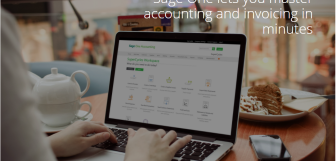
Accounting: Relaying all of your financial data from your POS system into your preferred accounting program is the last thing anyone wants to do at the end of a long day. It’s also easy to make mistakes which can cost your business a lot of money and even get you into trouble! Fortunately, POS systems like Epos Now have partnered with the likes of Sage, Xero, and Quickbooks so that the relevant financial data automatically gets delivered to the right places, keeping your businesses finances in good order!
Other types of POS integrations a business could need
Integration covers so broad an area that it’s difficult to cover everything. But here are a few more integrations that meet specific needs of certain types of businesses:
-
Multi-site integrations: When a business grows enough that it opens a second site, then a third, or more still, it gets increasingly difficult to oversee. Integrating each POS system into one master system (with devolved setups for each site) is the perfect solution to growing pains. That makes multi-site integrations a crucial part of any growing enterprise!
-
Booking integrations and PMS: Businesses that take bookings, from hotels and restaurants to spas and barbers, all need to manage timetables, communications, deposits, and the sales that follow. These rely on customer accounts often stored on a POS system. Bringing all of these systems together provides a smoother experience for staff and customers alike.
-
Marketing tools: Given that customer accounts, preferences, and spending patterns are all stored on POS systems, linking that information with your marketing tools can help improve the efficiency and effectiveness of your businesses marketing!
-
Kitchen display system (KDS): POS integration isn’t all about software. We’ve already mentioned card machines, but specialist hardware tools, such as a KDS, can create smoother workflows across a business. A KDS, for example, creates instant comms between front and back of house, as well as helping manage orders and building speed and efficiency throughout the restaurant.
-
Bespoke API integrations: Finally, many POS providers (including Epos Now) allow users to make bespoke changes to the software they use to create a system unique to their business. This could mean creating a system that generates a specific, very important report; it could mean releasing a certain product when a customer makes a purchase (like in a vending machine); it could create a special integration with an ecommerce site. With API development, the sky is the limit.
How does integration work in a POS system?
So now that we know what integration is, let’s look at how it actually works. Put simply, POS providers create integrations by programming connections from their POS software to the external tool so the programming can work as one, communicating, sharing, and working together.
This doesn’t mean sharing everything. Usually, this is a case of communicating whatever key information is required for the integration. For example, with a card machine integration, the POS system doesn’t tell the card machine which precise products the customer is buying. It merely communicates the total amount the customer needs to be charged. The card machine then does its thing, and lets the POS know when paying is successful (or if the card failed). That’s all the integration needs.
Integrate POS technology: in detail
To delve a little deeper into integration, we need to talk about APIs. API stands for application programming interface, but don’t let that scare you. APIs are essentially rules programmers create that determine how two separate pieces of software how to interact.
These interactions usually entail the programs sending packets of information between each other. This could be saying anything from “someone wants to buy something” to “that sale was worth 20 loyalty points” to “an online order means we now have one fewer pairs of blue, size 5 shoes”. As you can see from the examples, the communications tend to be quite simple. All that matters is that both applications are communicating effectively, and they know what to do with any information communicated (with our shoes example, the website communicating the sale of shoes means the POS system needs to update its stock levels).
APIs might be easier or harder to create depending on what needs to be communicated, and the relationship between the two bits of software. For instance, Epos Now uses a combination of first and third party integrations. First-party integrations are simpler APIs as the same POS provider has created both programs. An example of this is the smooth integration between Epos Now POS software and Epos Now Payments, the in-house payment processor.
On the other hand, third-party integrations are links between software built by two different companies. This usually means two different programmers building the integration together, learning about the other companies technology. However, benefiting from both company’s expertise can help create a brilliant user-experience.
How can I build an integrated POS system?
The great thing about APIs is that once they’re done, they’re usually very simple for the end user. Epos Now customers simply download the app, and input a few pieces of information about the account and settings they’d like to use, and that’s it! Two completely different pieces of software can now work together as one! This is the beauty of POS integration at its finest.
Epos Now has a wide selection of both first and third-party integrations, with tools to help with everything we’ve discussed in this blog so far. Take a look at the AppStore for a prime example of what API integrations can achieve!
If you’re looking to build your integrated POS system, figuring out what you’d like to add in to your system that you’re not already getting is the first step. For instance, Epos Now’s core package includes features like product, inventory, customer, and staff management and reports. But you may want to add in ecommerce, accounting, and booking, which you can do by visiting the AppStore and finding the software you want to integrate with.
It’s really as simple as that! Follow the instructions for each app, and the pre-built integration will do the rest.
So there you have it! Integrated POS is what we call the wide network of hardware and software that’s working together in the modern business. It includes an enormous range of tools and technologies but, fundamentally, it’s all working together as one system, which often works through the use of APIs.
Find this blog useful? Take a look at our other informative pieces on the tools that keep your business ticking over:
What is a purchase order and how do they work?
Why POS Data Analytics Drives Smarter Decisions for Small Businesses
The Future of POS: How AI & Machine Learning Will Transform Retail & Hospitality